
Legal answering service: an AI receptionist for law firms
GateKeeperAI is a legal answering service where an AI answers your firm's phone, day or night. It asks the intake questions your attorneys would ask, books the consultation on your calendar, transfers urgent callers to your team during business hours, and sends every lead to your Clio Grow lead inbox. Law firm plans start at $500 a month.
On every call
What happens when a potential client calls
A person calling a law firm is often having one of the worst weeks of their year. They were arrested, hurt, served or left. Many of them call more than one firm, and the first one that answers and takes them seriously has the best chance at the case. When the call goes to voicemail at 9pm, the next firm on their list picks up.
It answers with your firm’s name
The AI picks up with a greeting that names your firm. If a caller asks, it says it is an AI assistant. It never presents itself as a lawyer or a paralegal.
It asks what kind of case it is
It starts with an open question about what happened. It does not read a list of practice areas at the caller. If the caller is unsure, it asks what the ticket or the paperwork in front of them says.
It works through your intake questions
The questions are the ones your firm writes with us on the setup call, for each practice area you take. It keeps track of what the caller already said, so it does not ask the same thing twice.
It books, or it transfers
A qualified caller can book a consultation on the Google Calendar your firm uses. During the business hours you set, a caller who needs a person right now is transferred live to your team.
It writes the lead up
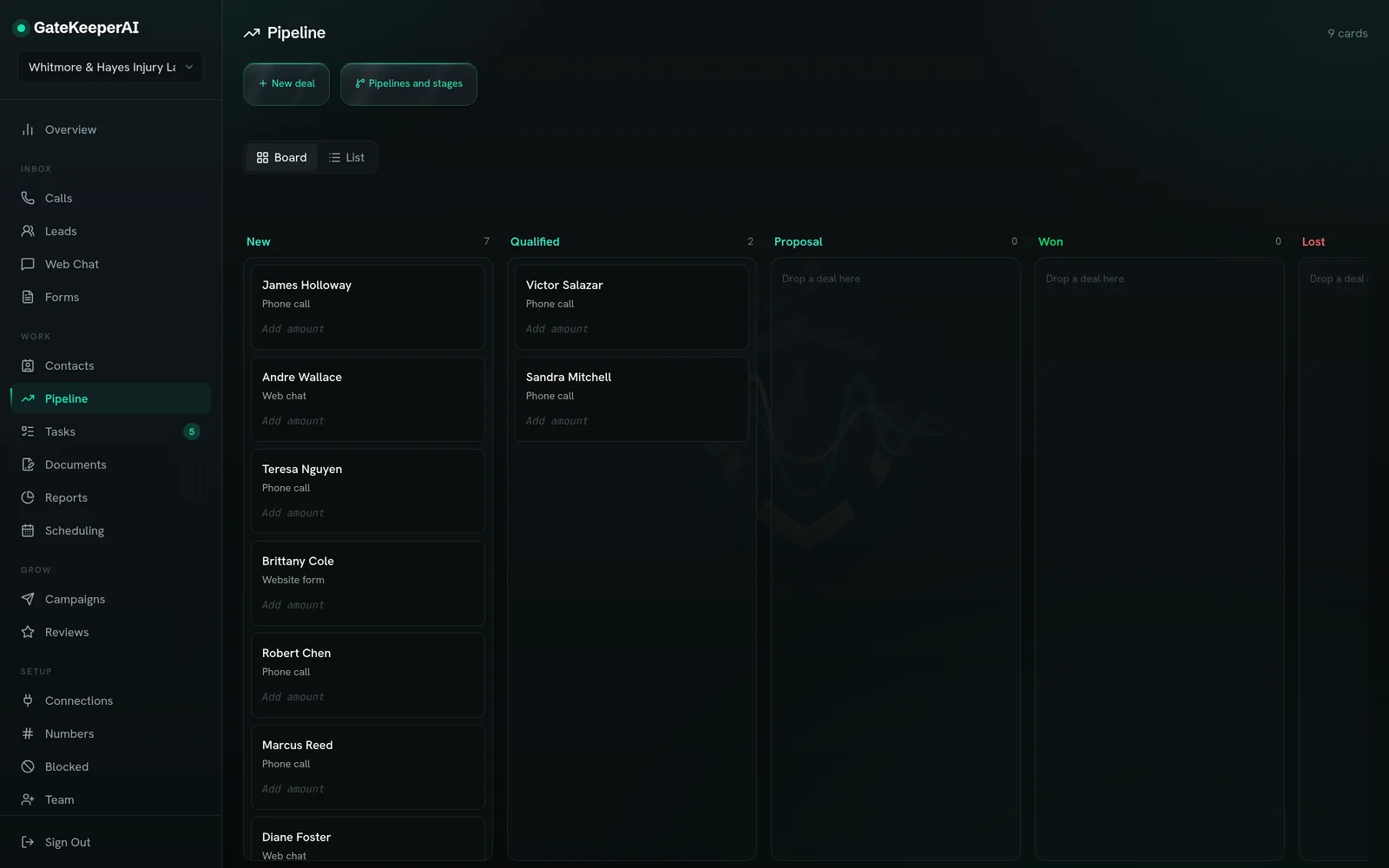
The caller, their answers and a transcript land in your GateKeeperAI pipeline and in your Clio Grow lead inbox. After hours you get an alert, so the first call of the morning is the right one.
Intake
Intake questions written for your practice areas
Every firm asks different questions, so nothing below is fixed. These are examples of what firms ask. Yours are written with you on the setup call and approved before the AI takes a single call.
Personal injury
- When and where did the accident happen?
- Were you hurt, and have you seen a doctor?
- Was a police report made?
- Has an insurance company contacted you yet?
- Have you already spoken with another attorney about this?
Criminal defense and DUI
- What were you charged with, or what does the ticket say?
- When is your court date?
- Is this your first charge of this kind?
- What kind of driver’s license do you hold?
- Are you calling for yourself or for someone else?
Family law
- Is this about divorce, custody, support or something else?
- Are there children involved?
- Has anything been filed yet, and is there a hearing date?
- Is anyone in danger right now?
Estate planning and probate
- Are you planning ahead, or handling the estate of someone who passed away?
- Is there an existing will or trust?
- What kinds of assets are involved, such as a home, a business or accounts?
- Is there a deadline, such as a court date or a sale?
Before the consultation
What your team needs for a conflict check
Before an attorney talks with a new client, your firm has to know it can take the matter. The AI can ask for the names of the other people involved, such as the other driver, the other spouse or the business on the other side, and it puts those names on the lead.
Your team runs the conflict check before the consultation. The AI collects the names; it does not decide whether your firm can take the case.
Boundaries
What the AI will not do on a legal call
It does not give legal advice, and it does not tell a caller whether they have a case.
It does not promise an outcome or tell a caller the firm will take the matter.
It does not pretend to be a person. If a caller asks, it says it is an AI assistant.
It does not decide a conflict or accept a client. Those decisions stay with your attorneys.
If a caller describes an emergency or someone in danger, it tells them to hang up and call 911 first.
Confidentiality
What the ABA asks of lawyers who use AI
In July 2024 the American Bar Association issued Formal Opinion 512, its first guidance on lawyers using generative AI tools. It is not binding, but it reads as a useful checklist: understand what the tool can and cannot do, protect information about your clients, supervise the tool the way you would supervise staff, and be clear with clients about how it is used. Your state bar may have its own guidance, and it is worth reading before any AI answers your phone.
Here is how GateKeeperAI fits that checklist. You write and approve every intake question before a call is taken. Every call is saved with its transcript in your firm’s account, so an attorney can review exactly what was said. Team access is by role, so you decide who on your staff sees intake. None of this is legal advice about your own obligations.
Setup and price
Clio Grow, your calendar, and what it costs
Clio Grow lead inbox
Each intake goes to your Clio Grow lead inbox, so it shows up where your firm already reviews new matters. The connection is to the Clio Grow lead inbox only.
Your existing number
You keep your firm’s number and forward calls to GateKeeperAI, either all the time or from your phone system when no one on your team picks up, so you decide when the AI answers.
Your calendar
Consultations the AI books go on the Google Calendar your firm already uses, so the attorney schedule and the front desk view match.
What it costs
Law firm plans start at $500 a month with 750 talk minutes. Setup starts at $500 and covers your practice area questions, your hours and transfer numbers, and the Clio Grow connection. We quote the exact setup fee on the call.
See the AI Receptionist plan on the pricing pageHow the GateKeeperAI receptionist answers a call
Choosing
A live answering service or an AI receptionist
Live legal answering services, often sold as a legal receptionist service or a virtual receptionist, put a person on every call and usually bill by the minute or by the call. That fits a firm whose callers expect a person every time, or a practice where a live voice is part of how the firm presents itself.
An AI receptionist fits a firm that wants every call answered at any hour, the same intake questions asked the same way every time, and the lead written into a CRM without anyone typing it in. We compared GateKeeperAI with two live receptionist services, using their own published prices.
With VerdictIQ
The intake and CRM side
VerdictIQ sets up GateKeeperAI for law firms directly. For how intake leads move through the CRM your firm works the case in, from first call to signed retainer, see the VerdictIQ page.
Questions
Questions from law firms
Will callers know they are talking to an AI?
If a caller asks, the AI says it is an AI assistant. It answers with your firm’s name, speaks in plain conversation and never presents itself as an attorney.
What happens to calls outside business hours?
The AI still answers, takes the intake and can book a consultation. Live transfer only happens during the hours you set. After hours you get an alert, and the lead is waiting in your pipeline and your Clio Grow lead inbox.
Is this a legal answering service or an intake service?
Both, on one call. It answers like an answering service, but instead of only taking a message it asks your intake questions and books the consultation.
Can it take calls for more than one practice area?
Yes. On the setup call we write a question set for each practice area your firm takes, and the AI follows the right set based on how the caller describes the matter.
Does it replace our intake staff?
No. It answers the calls your staff cannot get to: nights, weekends and the minutes when everyone is on another line. Your staff still call the client back, run the conflict check and decide which matters the firm takes.
Can our attorneys review the calls?
Every call has a transcript in your firm’s account. Call recordings are enabled on request on the AI Receptionist plan.
Hear it answer a call for your firm
Book a setup call. We write your practice area questions with you and quote the setup fee before you commit.